
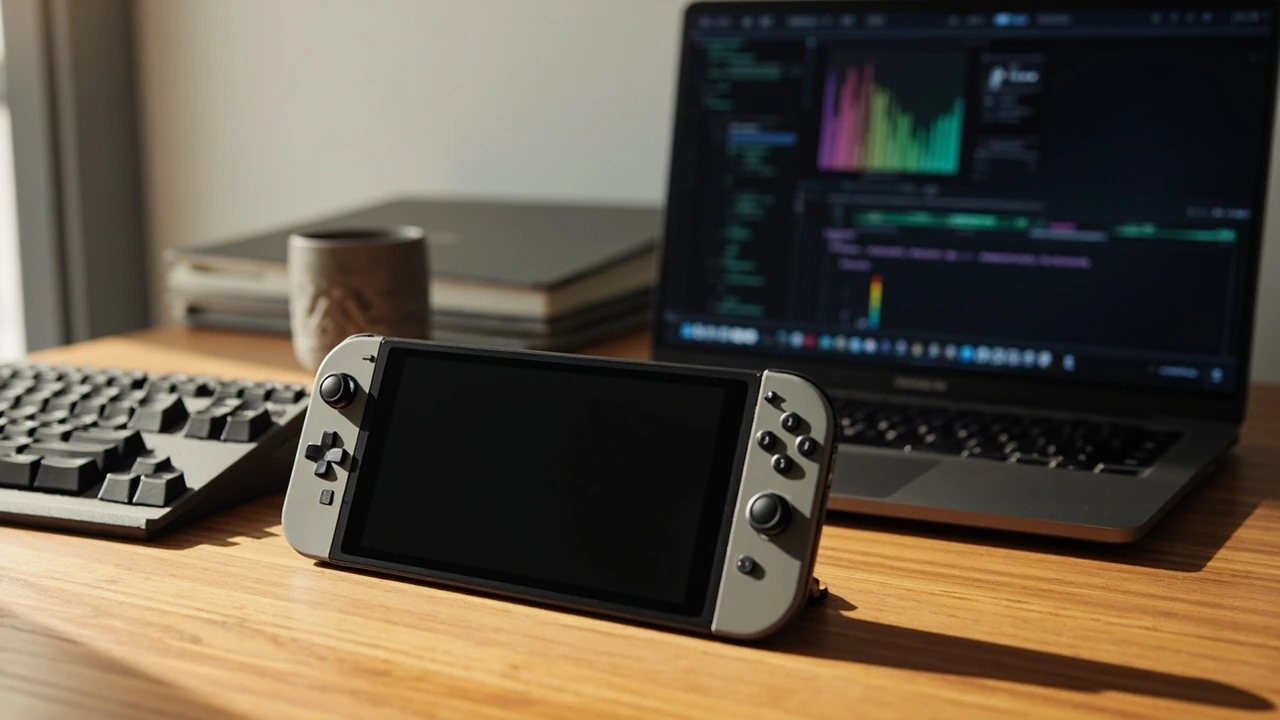
Legion Go 2 as a portable game development workstation
A Windows handheld such as the Legion Go 2 is, in practice, a small x86 PC with a high-resolution screen, a game controller fused to the chassis, and a battery that is far smaller than a desktop PSU. That description matters more than the marketing tagline, because anyone trying to do real game development on it runs straight into CPU and GPU thermal limits, memory pressure, and storage bandwidth. The 8-inch class display, detachable controllers, and built-in stand turn the device into a portable reference and test bench rather than a replacement for a tower workstation, and treating it that way keeps expectations honest.
This review focuses on what the Legion Go 2 can and cannot do for game developers, technical artists, and producers who need a secondary device for travel, demos, debugging on the couch, or quick on-site builds. It is written as a working technical review, not a buying guide aimed at players. The goal is to give a developer enough concrete information to decide whether the handheld is worth adding to a toolchain, and what the realistic workflow looks like when it is.
Hardware at a glance for engineers
Internally, the Legion Go 2 is built around a modern AMD Ryzen mobile APU, integrated Radeon graphics, between 16 GB and 32 GB of LPDDR5x memory depending on the SKU, and an NVMe SSD in the 512 GB to 1 TB range with user-replaceable M.2 storage on most revisions. The 8.8-inch LCD or OLED panel runs at 1600p with a 144 Hz refresh in the higher tier, and Lenovo ships a 49.2 Wh battery that supports USB-C power delivery above 65 W. The controllers detach, the unit has a kickstand, and the device exposes two USB4-capable Type-C ports, a microSD slot, a headphone jack, and fingerprint biometrics on the power button. Wi-Fi 6E or Wi-Fi 7 depends on the region and SKU.
For game development work, the most important number is sustained TDP. The Legion Go 2 ships with a configurable power profile that ranges roughly from 15 W in a quiet mode to around 30 W in the highest performance mode, with a turbo envelope that can briefly go higher when thermals allow. That envelope decides whether compiling a medium-sized Unity or Unreal project feels like 2015 or 2024. The next most important detail is that memory is soldered LPDDR5x and is shared with the integrated GPU; reducing the VRAM allocation in BIOS or Vantage moves that budget back to the APU compute, which is the real lever when an editor or shader compiler runs out of memory.
What real game development tasks feel like on the device
Using the Legion Go 2 as a developer tool is a different question from running a finished game on it. The screen is small but high DPI, so code in Visual Studio, JetBrains Rider, or VS Code reads cleanly once the OS scaling is set to 150 percent. Editors that depend on heavy plug-in graphs, such as shader graphs, Blueprint visual scripting in Unreal, or timeline editors in Unity, are usable for inspection and small edits but become cramped. The right mental model is “reference monitor and second PC”, not “primary workstation”.
Compile times are the most honest measure of value. A clean build of a medium Unreal Engine 5 project with about 200 source files and a single C++ target on the Legion Go 2 takes noticeably longer than on a desktop Ryzen 7 7700X with an NVMe Gen 4 drive, mostly because the APU has to throttle after a few minutes in a chassis this size. Incremental builds feel acceptable for code-only changes, and the bottleneck is almost always single-core boost clock and SSD write bandwidth, not core count. Long link steps on a shipping project will be the moment a developer reaches for a remote build farm or a network-attached workstation.
Editor and engine support considerations
Unity, Unreal Engine, and Godot all run on Windows x86 and therefore run on the Legion Go 2 in the literal sense. Running an editor is not the same as iterating comfortably in one. Unity 2022 LTS and Unity 6 have installer paths for 64-bit Windows, the Hub detects the device as a standard PC, and the editor itself starts. The question is whether the Play mode in a real scene holds a usable frame rate while the editor is open. On a typical 1080p scene with a couple of baked lightmaps, integrated Radeon graphics at 25-30 W TDP can keep the Play mode above 30 fps with the resolution scaled to 70-80 percent. That is enough to test gameplay logic, but it is not enough for shader iteration or post-process tuning, where the developer needs stable frame times to compare visually.
Unreal Engine 5 is more demanding. A small third-person C++ template on the Legion Go 2 opens the editor, builds lighting with a long but tolerable swatch, and runs the PIE window at reduced resolution. Nanite and Lumen in heavy scenes will fall below interactive rates at the panel’s native 1600p; the realistic workflow is to develop on a desktop and use the handheld for shader previews, Blueprint debugging, and quick regression passes. Godot 4 is the lightest path and the most pleasant experience: scene scripts compile in a few seconds, GDScript and C# both work, and even small 3D scenes run at full refresh, which makes the Legion Go 2 a surprisingly usable classroom or jam device for Godot work.
Local builds, asset pipelines, and storage
Asset pipelines are where the handheld exposes its limits. Texture compression tools, audio mixdowns, and lightmap bakes are throughput-bound. The NVMe SSD inside the device is a genuine Gen 4 drive in most SKUs, so raw read speed is not the problem. The problem is that the APU’s sustained clocks under thermal pressure lower the practical throughput of any CPU-bound bake. The mitigation is to schedule long bakes, switch the device to performance mode, plug in power, and accept that a desktop or a cloud farm will finish the same job several times faster.
Version control works as expected. Git on the command line, Git LFS for large binaries, Perforce with a local proxy, and Plastic SCM all run without issues. The relevant decision is whether the full repository, including Library, Intermediate, and DerivedDataCache, fits on the internal SSD. A 512 GB SKU fills quickly once a Unity or Unreal project is checked out, so a high-speed microSD card or an external USB-C NVMe enclosure becomes part of the kit. The USB4 ports on the Legion Go 2 support external GPU enclosures, which is the single most important expansion option for a developer who wants to attach a desktop-class GPU when docked at a desk.
Connecting the device to a real workstation
For a working developer, the most realistic use of the Legion Go 2 is as a portable client, not a stand-alone build host. Steam Remote Play, Parsec, Moonlight, and similar low-latency streaming clients all install cleanly. A wired 1 Gbps Ethernet adapter on a USB-C dock gives a stable stream, and Wi-Fi 6E in a clean environment is acceptable for editor interaction. Latency depends on the network, but for shader tweaking, asset inspection, and casual play testing of a build on a phone-class screen, the round trip is small enough to feel local. For a producer who needs to validate a build on the bus or during a layover, that setup is more valuable than a native compile on the device.
Pairing the handheld with an external GPU enclosure turns it into a credible light workstation when docked. The enclosure’s TB4 or USB4 link has the bandwidth needed to drive a mid-range desktop GPU at a usable rate, and the panel can be repurposed as a secondary preview monitor through the OS. A developer working from a hotel room or a small coworking space can plug in a single Thunderbolt cable, attach a keyboard, mouse, and an external 27-inch monitor, and get desktop-class compile and run times. That is the workflow Lenovo’s product designers seem to have in mind, and it is the workflow that justifies the device for serious technical work.
Controller and input as a debug surface
Detachable controllers with hall-effect sticks and a trackpad built into the right controller make the Legion Go 2 useful for actual gameplay debugging. Mapping Xbox, PlayStation, and Switch controller schemes through Steam Input or the engine’s input system is a standard flow, and the on-board trackpad helps when an interface expects a mouse. Touch and pen input are useful for sketching quick level blockouts, although the device is not a primary drawing tablet. For a designer reviewing input feel on a small form factor, the handheld is a faster feedback loop than booting a game on a phone and snapping a controller into it.
Battery, thermals, and acoustic behavior
Lenovo’s 49.2 Wh battery is small relative to a laptop of the same weight class. In an editor session with the screen at medium brightness, TDP limited to the quiet profile, and Wi-Fi on, runtime is around two to three hours; a heavy compile drops that below ninety minutes. The realistic answer is to keep the device plugged in for any work that lasts more than a single class or meeting. The advantage of USB-C power delivery is that any compliant 65 W GaN charger will keep the device at full performance, which removes the need to carry Lenovo’s own brick.
Thermals are the binding constraint. Under sustained load, the APU lives close to its 95-100 C ceiling, and the chassis warms up on the upper back. The fan is audible in performance mode but not louder than a typical thin gaming laptop, and the acoustic profile is steady rather than pulsed. Pushing the device to its absolute thermal limit in a closed room without airflow will trigger throttling, and that throttling is what slows long bakes more than the silicon’s theoretical throughput would suggest.
Realistic dev workflows where the device earns its place
Taken together, the device earns its place in three workflows. First, a secondary reference machine for a developer or technical artist who travels, sits in client meetings, and needs to open a project, inspect a scene, or run a build on a real screen rather than a laptop. Second, a portable test bench for gameplay programmers iterating on controller feel, input latency, or touch-driven UI on an actual handheld form factor. Third, a low-cost classroom or game jam device for instructors who want students to learn Unity, Unreal, or Godot without investing in a full laptop for each seat.
The workflows where it does not earn its place are equally clear. It is not a primary build host for a shipping project. It is not a serious compile farm. It is not a reliable platform for GPU profiling or large-scale shader work, because the integrated GPU’s memory and bandwidth run out before the developer does. Treating it as a primary machine for production work leads to frustration; treating it as a portable companion to a desktop or a cloud build farm leads to a smooth day-to-day experience.
Software configuration a developer should change first
A few configuration steps change the day-to-day experience. Switching Windows to the high-performance power plan and setting the Legion Go’s Vantage profile to Performance unlocks the full TDP envelope. Disabling Game Bar and Xbox Game Bar background services frees memory that an editor would otherwise fight for. Moving swap and editor caches to the internal NVMe and keeping source repositories on the same drive avoids microSD latency penalties. Inside the engine, lowering the editor preview resolution, disabling live shader compilation during Play, and turning off auto-exposure of the preview window reclaim another meaningful slice of frame time.
Remote build is the single most important configuration decision. Setting up a build farm or a self-hosted runner that the Legion Go 2 can offload to over Wi-Fi 6E or a tethered phone keeps the device useful on the road, because the heavy C++ link step and the long shader compile jobs do not need to happen locally. The pattern is the same as a thin client for a developer: keep the editor local, keep the heavy work remote, and let the device act as a clear and responsive window into the project.
Comparison with adjacent portable options for developers
The closest peers in the portable-dev-PC category are the Steam Deck OLED, the ASUS ROG Ally X, and small form factor mini PCs. Each has a different balance of screen size, battery, OS, and storage. The Steam Deck runs SteamOS and is excellent as a player device but a poor fit for native Windows editor work. The ROG Ally X is closer in concept but stays in a smaller screen and similar TDP envelope, so the comparison is more about industrial design and software stack than raw capability. A NUC-class mini PC gives a developer a far more capable CPU and a real GPU at the cost of portability, the built-in screen, and the controller layer.
| Device class | Screen and form factor | Typical sustained TDP | OS for editors | Best portable dev fit |
|---|---|---|---|---|
| Legion Go 2 | 8.8-inch 1600p, detachable controllers, kickstand | 15-30 W configurable, brief turbo above | Windows 11, full x86 editor support | Reference monitor, gameplay test bench, classroom kit |
| Steam Deck OLED | 7.4-inch 1280×800, attached controls | 15 W fixed profile | SteamOS with desktop mode, Windows possible | Player testing, light Steam Big Picture work |
| ROG Ally X | 7-inch 1080p, attached controls | 15-25 W configurable | Windows 11, full x86 editor support | Similar reference and test role, smaller screen |
| NUC-class mini PC | No built-in screen, requires monitor | 45-65 W desktop class | Windows 11 or Linux, full editor support | Primary build host, docked workstation |
The Legion Go 2 is the most flexible of the four for mixed use because of the detachable controllers, the larger and higher-resolution screen, and the two USB4 ports that support an external GPU. The Steam Deck is the most polished player device. The ROG Ally X is the most direct competitor. A NUC is the right answer for someone who never moves the machine.
Storage, memory, and the real upgrade path
Memory is the first silent limit. Soldered LPDDR5x means the developer cannot upgrade RAM after purchase, and the GPU’s memory carve-out shifts with the workload. The 16 GB SKU is workable for Godot, small Unity projects, and Unreal templates. The 32 GB SKU is the right call for anyone planning to compile, preview, and run an Unreal 5 project with the editor open. Storage is more forgiving: the M.2 slot is user-accessible in most SKUs, and a 2 TB Gen 4 NVMe drive costs a small fraction of the device. The microSD slot is convenient for media and for finished builds but is too slow for active project data.
Networking, peripherals, and the desk mode
Wi-Fi 6E or Wi-Fi 7, depending on the SKU and region, is enough for editor streaming, asset downloads, and source-control sync. A wired 1 Gbps Ethernet adapter on the USB-C dock is the more reliable choice for remote play or remote build, and the device negotiates USB-C power delivery and data on the same port, which simplifies cable management. Bluetooth 5.2 covers controllers, audio, and keyboards. The desk mode, with an external monitor over USB-C, a mechanical keyboard, and a mouse, is the configuration in which the Legion Go 2 most resembles a regular developer PC, and the configuration in which the integrated GPU is least of a bottleneck because the editor can be offloaded to an external graphics card.
Game engine behavior on a constrained APU
Each engine has a slightly different reaction to a constrained APU. Unity scales gracefully: the editor’s heavy subsystems can be turned off, the asset database can be put in version-control mode to skip reimport, and the GPU skinning can be moved to compute. Unreal exposes more subsystems that depend on background threads, and a developer who disables Live Coding, lowers the parallelism of shader compile workers, and keeps the project on a fixed source branch will see steadier compile behavior. Godot 4 is the most predictable on a device of this class, and is the best fit for a class of students or a small team that wants the lightest possible path from idea to build.
| Engine | Editor startup on Legion Go 2 | Incremental compile feel | Play mode at 1600p | Best path on this device |
|---|---|---|---|---|
| Unity 6 / 2022 LTS | 10-20 seconds to usable state | Acceptable for code changes, slow for full reimports | 30-50 fps on small scenes with reduced preview resolution | Disable domain reload, keep Library on NVMe, scale preview to 70 percent |
| Unreal Engine 5 | 30-60 seconds to usable state | C++ full link is the bottleneck; iterative compile feels fine | 20-30 fps on template scenes, lower on heavy Nanite scenes | Offload link steps to a remote build host, use forward shading |
| Godot 4 | Under 10 seconds | Sub-second for GDScript, a few seconds for C# | Locked refresh on small 3D scenes | Best fit for handheld-first game jams and classroom use |
These numbers are typical, not absolute. A real project with hundreds of C++ classes, large content folders, or many visual scripting graphs will push the device into throttling earlier. A practical mitigation is to keep a smaller, hand-picked “travel project” on the device rather than the full shipping tree, which avoids the worst of the import and link times and keeps the feedback loop short.
Power, charging, and the realities of working on the road
USB-C power delivery above 65 W is the only way to run a long compile without draining the battery. Lenovo’s own charger is rated higher and is safe to leave in a hotel room when travelling light, but a third-party 100 W GaN brick with a long cable is a more flexible daily driver. The Legion Go 2 negotiates power well and does not draw more than the charger advertises, so there is no real risk of harming the device with a high-quality third-party brick. Battery health can be preserved in Vantage by setting a charge limit below 100 percent for travel days that do not require full runtime.
Security, OS lifecycle, and developer trust
For a working developer, the trust question is whether the OS and firmware stay stable. Lenovo’s Vantage application ships driver and BIOS updates, and the Windows image is a standard 11 Home or Pro build that accepts the usual long-term servicing channels. For a studio, the better practice is to enroll the device in a standard image with BitLocker, a managed Microsoft account, and a recovery partition before putting it on a customer’s network. None of that is exotic; it is the same hygiene that applies to any Windows PC that touches production data.
When the device is the wrong tool for the job
A short list of scenarios in which a developer should reach for something else is also useful. If the project is a shipping Unreal 5 title with Nanite and Lumen, the device will throttle. If the work is shader iteration against a high-resolution preview, the integrated GPU is the wrong host. If the task is long-form content creation at scale, the small screen and the cramped keyboard mapping will fight the developer. If the work requires frequent file transfer of multi-gigabyte assets over a slow hotel Wi-Fi, the small SSD will fill before the day is out. None of these are failures of the device; they are simply the limits of the form factor.
Decision checklist for a working developer
Before adding the device to a kit, a developer can run through a short, honest checklist.
- Will the device act as a secondary reference machine, not a primary build host?
- Does the engine of choice have a workable headless or remote build path for heavy compile steps?
- Is the project small enough to live on the internal NVMe without constant microSD swaps?
- Is there a real reason to test on a handheld form factor, such as touch UI, controller feel, or portable demo?
- Is there a desk-mode plan with an external GPU enclosure, a USB-C dock, and a real monitor?
- Is the budget for the 32 GB SKU, given that memory is soldered and cannot be added later?
Yes to most of those questions puts the Legion Go 2 in scope. No to most of them points to a different tool.
Frequently asked questions
Is the Legion Go 2 good enough for Unity or Unreal game development on the go?
Yes, for editor work, scene inspection, small code edits, and incremental builds of medium-sized projects. No, as a primary host for shipping a large Unreal 5 project with Nanite and Lumen, because the integrated APU will throttle under sustained compile and bake loads. The realistic pattern is local editor with remote build for heavy steps.
How long does the battery last during a development session?
Around two to three hours of editor work with the screen at medium brightness and the APU limited to the quiet power profile, and under ninety minutes for a heavy compile with the device unplugged. USB-C power delivery above 65 W removes the limit when plugged in.
Can the Legion Go 2 replace a developer laptop?
It can replace a developer laptop for short trips, classroom sessions, and reference work. It cannot replace a developer laptop for primary build, long compile, or heavy asset bake work, because the screen is small, the keyboard mapping is limited to on-screen or external, and the integrated APU throttles under sustained load.
Does the Legion Go 2 support an external GPU for game development?
Yes, through the USB4 ports and a Thunderbolt-compatible external GPU enclosure. Docked with a mid-range desktop GPU, the device can act as a credible light workstation for engine work that is too heavy for the integrated Radeon graphics.
What is the right SKU for a developer?
The 32 GB memory SKU is the safer choice, because memory is soldered and cannot be upgraded after purchase. A 1 TB or larger NVMe is preferable for storing project data and intermediate build outputs, and the M.2 slot is user-accessible in most SKUs, so storage can be expanded later.
Can I run Godot 4 effectively on the Legion Go 2?
Yes. Godot 4 is the lightest of the major engines on this hardware and the most pleasant for handheld-first work. Editor startup is fast, GDScript compile is sub-second, C# compile is a few seconds, and small 3D scenes hold the panel’s refresh rate without scaling.
Is the screen good enough for shader and color work?
The 8.8-inch 1600p panel is sharp and high-DPI, which is good for code and UI. For color-critical shader iteration, an external color-accurate monitor over USB-C is the right path, because the integrated panel’s color volume and brightness do not match a reference display.
How does the Legion Go 2 compare with the Steam Deck for developer work?
The Steam Deck is a stronger player device, runs SteamOS by default, and has a smaller and lower-resolution screen. The Legion Go 2 runs full Windows 11, has a larger and sharper display, and exposes USB4 for external GPUs, which makes it the more flexible developer tool for someone who already lives in a Windows toolchain.
Does the device support pen and touch input for level design?
Touch input is supported, and some revisions accept a pen through the on-board digitizer. For production level blockout work, a drawing tablet or a separate pen display is a better primary input. The built-in touch is most useful for engine UI navigation, scrubbing timelines, and quick annotations on the couch.
What is the most useful accessory for a developer who buys one?
A USB-C dock with Ethernet, a 100 W GaN charger, an external NVMe enclosure, and an external 27-inch monitor is the most useful kit. Adding an external GPU enclosure completes the workstation story. Together, they turn the handheld into a real portable development client.
Leave a Reply