
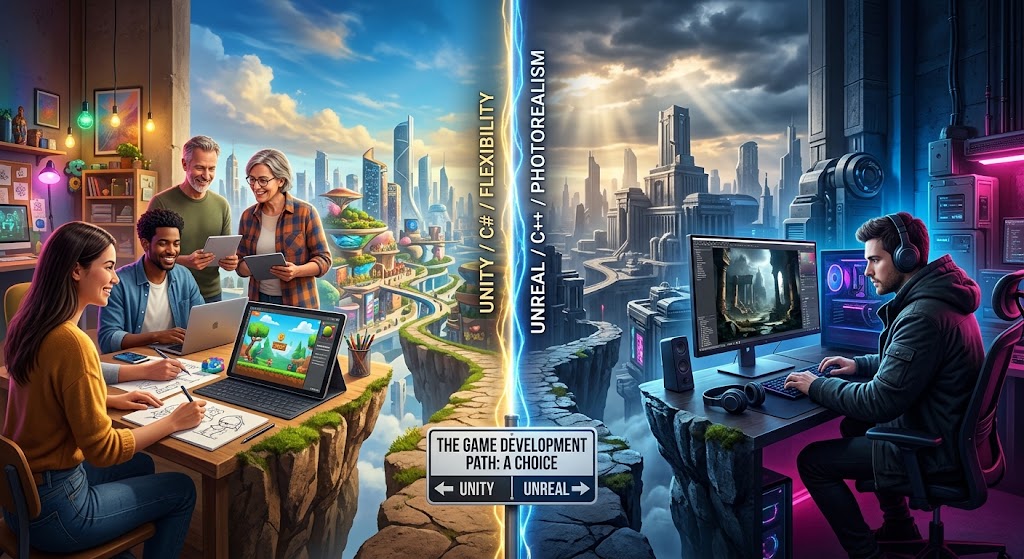
Unity vs Unreal: Choosing the Right Game Engine
Choosing between game engines can feel like picking a permanent side in a tech war. But it does not have to be that dramatic. Most creators just want to build a great game without fighting their tools every single step of the way.
Both engines have built iconic titles over the last two decades. You have seen massive blockbusters running on one, while charming indie hits quietly dominate steam charts on the other. So how do you actually decide?
The answer depends on what you plan to make. It depends on your team size, your coding background, and your long-term goals. Let us break down everything you need to know about unity vs unreal without the marketing noise.
Understanding the Core Architecture of Unity vs Unreal
Unity built its reputation on accessibility and flexibility. It uses C# as its primary scripting language. C# is clean, logical, and relatively forgiving for newcomers. If you know basic programming concepts, picking up Unity feels pretty straightforward.
Unreal Engine takes a different approach. It runs on C++, which offers blistering raw performance and direct memory management. But C++ comes with a steep learning curve. Drop a single semi-colon in the wrong place or mismanage a pointer, and your editor might crash immediately.
To balance this steep curve, Unreal includes Blueprints. Blueprints are a visual scripting system that lets you build complex game logic without writing a single line of traditional code. It is not just a toy for non-programmers either. Entire commercial games have launched using purely Blueprints.
Unity has visual scripting options too, like Bolt. However, Unreal built Blueprints into its core architecture from day one. That deep integration makes a huge difference in day-to-day workflow.
When you compare unity vs unreal on memory usage and iteration speed, Unity often boots faster and feels lighter on modest hardware. Unreal demands beefy computer specs just to run the editor smoothly. If you work on a basic laptop, Unity will feel far more comfortable.
| Feature | Unity Engine | Unreal Engine |
|---|---|---|
| Primary Language | C# | C++ and Blueprints |
| Target Projects | 2D, Mobile, Indie 3D, AR/VR | AAA 3D, Hyper-Realistic, Visuals |
| Learning Curve | Moderate and Beginner-Friendly | Steep C++, Easy Blueprints |
| Lighting & Graphics | Customizable (URP/HDRP) | Industry-Leading (Lumen & Nanite) |
| Asset Store | Massive 2D and 3D Selection | High Quality, Monthly Free Content |
Graphics, Rendering, and Visual Capabilities in Unity vs Unreal
Visual fidelity is usually where Unreal Engine steals the spotlight. Out of the box, Unreal delivers photorealistic lighting and realistic material shaders. Features like Nanite virtualized geometry and Lumen global illumination mean you can drag high-poly film assets straight into your scene without manual optimization.
That power shines in cinematic games and virtual production sets. If your main goal is creating ultra-realistic environments that rival big Hollywood studios, Unreal gives you those tools immediately without requiring months of custom shader work.
Unity can look stunning too, but you have to work harder for it. Unity splits its rendering pathways into the Universal Render Pipeline (URP) for lightweight performance and the High Definition Render Pipeline (HDRP) for high-end visual realism.
This split gives developers immense control over optimization. Mobile developers love URP because it keeps frame rates high on phones and low-power hardware. But if you want AAA realism out of the box, Unreal saves you dozens of setup hours.
Here are key graphical strengths you should consider when evaluating unity vs unreal for visual presentation:
- Unreal Engine offers built-in photorealism, dynamic global lighting, and movie-grade post-processing effects.
- Unity provides lightweight rendering pipelines that scale smoothly down to mobile devices and older consoles.
- Unreal includes free access to the entire Quixel Megascans library for environment artists.
- Unity makes custom shader graph creation intuitive for technical artists building stylized 2D or 3D art styles.
Stylized games like Cuphead, Hollow Knight, and Genshin Impact highlight Unity’s adaptability across custom visual styles. Meanwhile, realistic titles like Fortnite, The Witcher 4, and Tekken 8 showcase Unreal Engine pushing raw graphical boundaries.
2D Game Development and Mobile Performance
If you plan to build a 2D game, Unity is almost universally considered the better choice. Unity has dedicated 2D tools, tilemap editors, 2D physics engines, and skeletal animation systems designed specifically for flat game worlds.
Unreal Engine can handle 2D projects through plugins and paper2D features, but it always feels like you are using a sledgehammer to tap in a tiny nail. The engine is simply weighted toward 3D calculations and heavy asset pipelines.
Mobile development tells a similar story. Unity dominates the mobile market because its engine footprint is relatively light. The installation size stays manageable, battery consumption remains stable, and building for iOS and Android is straightforward.
Unreal projects can target mobile devices, but keeping package sizes small requires aggressive pruning and custom engine builds. If your goal is app store accessibility, Unity saves developers endless optimization headaches.
Consider these practical mobile advantages when examining unity vs unreal for pocket devices:
- Unity supports cross-platform compilation to over 20 platforms with minimal code adjustment.
- Build executable file sizes in Unity start significantly smaller than baseline Unreal exports.
- Unity handles touchscreen inputs, mobile ad networks, and simple in-app purchases seamlessly out of the box.
Pricing Models, Licensing, and Marketplace Support
Financial structures matter just as much as technical features. A few years ago, pricing models were simple. Today, you must read the fine print carefully before committing your business to an engine ecosystem.
Unreal Engine uses a revenue-share model. It is completely free to download and use with all features unlocked. You only start paying Epic Games a 5% royalty fee after your game crosses its first $1,000,000 in gross revenue. That makes Unreal incredibly appealing for bootstrapped teams who want top-tier tech without upfront monthly subscription costs.
Unity uses a subscription model based on seat licenses and annual revenue thresholds. While Unity Personal remains free for smaller creators earning under $200,000 annually, growing studios need Unity Pro licenses per seat. After recent policy updates and community feedback, Unity simplified its terms, but keeping track of license seats remains vital for growing engineering teams.
| Aspect | Unity Licensing | Unreal Licensing |
|---|---|---|
| Upfront Cost | Free for Personal tier | 100% Free full access |
| Royalty Fees | 0% royalties on sales | 5% after $1M gross revenue |
| License Type | Per-seat annual subscriptions | Free tier with royalty agreement |
| Asset Ecosystem | Massive indie asset marketplace | Free monthly sponsored content |
| Source Code Access | Requires high-tier Enterprise license | Full C++ source code included free |
The asset store on both sides offers thousands of ready-made tools, models, and audio packs. Unity’s Asset Store is legendary for its massive library of indie plugins, character controllers, and complete project templates. If you need a specific mechanic, someone has likely built a $20 Unity package for it.
Unreal’s Marketplace is smaller but exceptional in quality. Epic Games regularly buys high-end asset packs and gives them away to users for free every month. Furthermore, full access to Unreal’s source code allows experienced C++ programmers to customize the core engine whenever needed.
Community, Documentation, and Learning Curve
When you get stuck at 2:00 AM on a tricky bug, community size suddenly becomes your most valuable asset. Unity has millions of active developers worldwide. Because so many beginners start with Unity, almost every error message you encounter already has a solved thread on Reddit, YouTube, or Stack Overflow.
Unreal Engine has grown exponentially over recent years. Its official documentation and learning portal are polished, structured, and filled with video tutorials provided directly by Epic Games staff. However, because Unreal changes rapidly with major updates, older community tutorials can sometimes become outdated quickly.
Here is what you can expect when starting your learning journey with unity vs unreal:
- Unity offers endless beginner video courses, written tutorials, and active forum discussions for common scripting bugs.
- Unreal offers official video learning paths directly inside its developer portal, covering architecture, materials, and Blueprints.
- Unity lets you write test code rapidly with fast compilation times, making trial-and-error prototyping feel immediate.
- Unreal visual scripting allows non-programmers to create working gameplay systems in hours without syntax errors.
Both engines have incredible ecosystems. You will not lack learning resources regardless of which choice you make today.
Frequently Asked Questions
Is Unity or Unreal Better for Beginners?
Unity is generally better for absolute beginners because C# is easier to learn than C++ and the editor interface is clean and lightweight. However, if you prefer visual node interfaces over traditional coding, Unreal’s Blueprint system lets you build mechanics quickly without typing code.
Can You Make 2D Games in Unreal Engine?
Yes, you can make 2D games in Unreal Engine using Paper2D tools and orthographic cameras. However, Unity offers vastly superior built-in 2D tools, tilemap support, and lightweight rendering designed specifically for 2D gameplay performance.
Which Engine Is Better for Mobile Games?
Unity is widely considered the industry standard for mobile game development. It produces smaller file build sizes, handles low-power hardware efficiently, and offers straightforward tools for targeting both iOS and Android platforms.
How Do the Costs of Unity vs Unreal Compare?
Unreal Engine is free until your game earns over $1,000,000, after which Epic takes a 5% royalty fee. Unity is free for individuals earning under $200,000 annually, but requires paid per-seat Pro subscriptions for higher-earning studios.
Which Engine Is Best for VR and AR?
Unity is the leading platform for VR and AR development due to its lightweight optimization and broad device hardware support. Unreal Engine is also capable of high-fidelity VR, but requires powerful target hardware to maintain smooth frame rates.
Do Professional AAA Game Studios Use Unity?
Yes, many high-profile studios use Unity for major commercial releases, particularly on consoles, PC, and mobile platforms. Titles like Ori and the Will of the Wisps, Hearthstone, and Cities: Skylines demonstrate Unity’s commercial capabilities.
Which Programming Language Should I Learn First?
If you want to use Unity, focus on learning C#, which is object-oriented, modern, and versatile. If you plan to use Unreal Engine, learn C++ for deep core customization alongside understanding visual logic principles in Blueprints.
Ultimately, comparing unity vs unreal comes down to matching engine strengths with your studio’s specific project goals. Unity excels at 2D games, mobile releases, indie prototypes, and cross-platform flexibility. Unreal Engine dominates high-end 3D graphics, cinematic experiences, and visual scripting for complex action titles. Download both engines, run a simple weekend test project, and choose the workflow that feels most natural to your team.
Leave a Reply